How to Program a Uniden Bearcat Scanner
Here’s how to program a Uniden Bearcat scanner: choose a compatible frequency, select a channel, enter the frequency, and save it. Use your model’s manual for the exact buttons, then enable the saved channel for scanning.
On this page (8 sections)
- How do you program a Uniden Bearcat scanner?
- Which frequencies and radio systems will work?
- How should you organize saved channels?
- Can presets or Close Call replace manual programming?
- Which scanner suits your programming plans?
- When is computer programming worth using?
- Why does a saved frequency stay silent or get skipped?
- What should you choose before programming a Uniden Bearcat scanner?
To learn how to program a Uniden Bearcat scanner, start with a compatible frequency, choose a memory channel, enter the number, and save it. Then include that channel in scanning, using your exact model’s manual for the button sequence.
Before entering a long list, confirm that the scanner can receive your target radio system. The BC125AT, BC365CRS, and SR30C covered here receive conventional analog communications, so choosing the right receiver comes before programming.
How do you program a Uniden Bearcat scanner?
Save 1 known local frequency first, confirm the entry, and then build the rest of your channel list. This makes mistakes easier to find than entering dozens of channels at once.
Have your model number, manual, and a reliable frequency source ready. A local agency’s published radio information or a maintained frequency directory can help, but check the location and system type carefully.
- Check compatibility. Confirm that the frequency falls within your scanner’s coverage and uses a supported system.
- Choose a destination. Select an unused memory channel and, where supported, the bank you want to use.
- Open channel entry. Follow the manual’s programming instructions for your model.
- Enter the frequency. Check every digit and the decimal point before confirming.
- Save the entry. Use the required confirmation key or menu command.
- Check the stored channel. Return to it and compare the displayed frequency with your source.
- Resume scanning. Make sure the channel and its bank are enabled.
Bearcat is a product family, not a single control layout. Avoid following a video’s button sequence unless its model number matches yours.
How do you enter frequencies on a Uniden Bearcat scanner?
Copy the full frequency exactly, including its decimal position, using the entry method in your manual. A memory channel number identifies where you store a frequency; it is not the frequency itself.
Keep a simple written list with the frequency, service, location, and memory position. That gives you a reference if you later replace a channel or accidentally save over it.
Which frequencies and radio systems will work?
Both tuning range and system type must match before a channel is worth programming. A scanner may accept a frequency without being able to turn its transmissions into understandable audio.
The BC125AT covers 25–54 MHz, 108–174 MHz, 225–380 MHz, and 400–512 MHz. Check the other models’ manuals for their coverage rather than copying that range across the Bearcat family.
None of these 3 models receives digital Project 25, DMR, or NXDN communications. They also aren't the right choice for following a trunked system, which needs a compatible trunk-tracking receiver.
If your goal is local police monitoring, identify the agency’s actual system before buying. Our guide to whether police scanners still work after agencies go digital explains the main limits.
A digital scanner also cannot make encrypted traffic readable. For vehicle listening, check whether you can have a police scanner in your car before planning your setup.
How should you organize saved channels?
Group channels by what you want to hear together, such as one town, nearby airports, or railroad activity. A focused group is easier to manage than a single list mixing every possible service.
All 3 models have 500 memory channels. The BC125AT and BC365CRS divide theirs across 10 banks, while the BC125AT also supports alpha tags for readable channel names.
On the BC125AT, use names that distinguish similar channels, such as a location plus service. Keep the same naming pattern throughout so you can recognize a channel at a glance.
Leave some empty memory positions between groups if you expect to add channels later. You don't need to fill the scanner’s memory to get useful listening.
Scan only the groups you need for that session. Cycling through unnecessary channels adds time between checks of the ones you care about.
Can presets or Close Call replace manual programming?
Presets help you find activity; saved channels build a repeatable listening list. Start with a service search if you know your interest but don't yet know the local frequencies.
These models include searches for services such as aviation, marine, railroad, and non-digital public safety. A preset searches a service band rather than promising an active local transmission.
The BC125AT and SR30C also have Close Call RF capture for nearby transmitters. Use it to discover strong nearby signals, rather than expecting it to find every station across your area.
Neither method changes the scanner’s system compatibility. When you find useful activity, record the frequency and save it through your model’s channel-entry process.
Which scanner suits your programming plans?
Choose by your target system first, then by portability and controls. Among these analog models, the main choices are named handheld channels, a home desktop setup, or flexible handheld power.
Who should choose the Uniden Bearcat BC125AT?
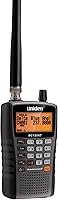
Choose the BC125AT for a handheld list you want to identify by name. Its alpha tags help when you monitor several locations or services and don't want to memorize frequency numbers.
PC programming gives you another way to build that list. Close Call Do Not Disturb prevents nearby-signal checks during a transmission, which suits listeners who want discovery without those checks interrupting speech.
Skip it if your main goal is digital or trunked public safety monitoring. It is also a receive-only scanner, so it won't let you reply to anyone you hear.
See our Uniden BC125AT scanner review for a closer look at its fit for regular handheld use.
Who should choose the Uniden BC365CRS?
Choose the BC365CRS for a scanner that stays on a desk or bedside table. Its corded desktop design combines scanning with an FM radio and an alarm clock.
Direct frequency entry suits a home listening list that you build a few channels at a time. You can also set the alarm to wake you to scanning, a weather channel, or an FM station.
Skip it if you want a handheld for outings or specifically want the PC programming offered by the other 2 models. Position it where you can reach the controls and adjust the antenna easily.
Who should choose the Uniden Bearcat SR30C?
Choose the SR30C for handheld listening with keypad entry and PC programming. It suits beginners who want to start with a few channels and expand their list later.
It can run from USB power, 2 AA alkaline batteries, or 2 rechargeable AA Ni-MH batteries. Its delay function pauses before scanning resumes, helping you catch a reply on the same channel.
Skip it if readable channel names are your deciding feature; choose the BC125AT for its alpha tags. For choices beyond these analog receivers, compare our best police scanners.
When is computer programming worth using?
Use a computer for a long channel list or frequent changes, and direct entry for a small list. The BC125AT and SR30C support PC programming, but you still need software and connection instructions that match the model.
Read the existing scanner contents before writing changes if your software supports that step. Save a backup so a mistaken transfer doesn't leave you rebuilding your list from memory.
Check frequencies, names, and scan selections before transferring. Afterward, inspect a few saved channels on the scanner instead of assuming a completed transfer means every setting is right.
Why does a saved frequency stay silent or get skipped?
Separate entry problems from reception problems before changing your channel list. If the displayed frequency is correct, first check scan settings, local activity, and system compatibility.
- Entry won't save: verify coverage, digits, decimal position, and the confirmation step.
- Channel gets skipped: check channel lockout and whether its bank is enabled.
- Constant hiss stops scanning: adjust squelch according to the manual.
- Weak signals disappear: avoid setting squelch higher than needed to silence background noise.
- Correct channel stays quiet: hold on it for a while, since many services transmit only when needed.
- Buzzing follows electrical equipment: move the scanner or antenna away from the noise source.
For the BC365CRS, changing antenna height or angle can also help with interference. Avoid placing it in direct sunlight or near heating vents.
Use the battery type and charging settings required by your model, and never try to recharge alkaline batteries. Keep connectors clean and dry, and avoid pulling a USB cable by its cord.
What should you choose before programming a Uniden Bearcat scanner?
Choose the BC125AT for named handheld channels, the BC365CRS for home listening, or the SR30C for handheld power options. If your target system is digital or trunked, choose a compatible receiver before spending time building a frequency list.
The practical rule for how to program a Uniden Bearcat scanner is to save one suitable frequency correctly, then expand in clear groups. Our police scanner guide covers the wider category, and the BC125AT review can help if channel names are your priority.
Frequently asked questions
Can I program a Uniden Bearcat scanner without a computer?
Yes, the SR30C supports keypad entry, and the BC365CRS lets you enter and store frequencies directly. Use your exact model’s manual for the button sequence, since Bearcat controls differ; the BC125AT and SR30C also support PC programming if you prefer building a channel list on a computer.
Why won't my Uniden scanner accept a frequency?
An unsupported frequency or an entry mistake can prevent a channel from saving. Compare every digit and the decimal point with your frequency source, then check your model’s tuning range and save sequence; if the entry saves but stays silent, check reception and system compatibility next.
Can an analog Bearcat scanner receive digital police channels?
No, the BC125AT, BC365CRS, and SR30C cannot receive digital communications such as Project 25, DMR, or NXDN. Confirm that your target channels use conventional analog transmissions before choosing one; entering a digital channel’s frequency or finding it through a service search does not make its audio readable.
Do I need to program every frequency manually?
No, all 3 models include preset searches for common services, so you can explore supported bands before saving individual channels. The BC125AT and SR30C also support PC programming; use saved channels for a focused listening list and service searches when you want to find activity across a broader band.