Can You Have a Police Scanner in Your Car?
Whether a police scanner in your car is legal depends on where you drive and how you use it. Check current laws for vehicle possession and operation, plus any restrictions tied to criminal use or your circumstances.
On this page (8 sections)
- Is a police scanner in a car legal?
- What should you confirm before choosing a scanner?
- Which analog scanner suits your car use?
- How should you set up a scanner before driving?
- What mistakes cause poor reception or wasted money?
- How should you care for a scanner kept in a car?
- What should you check before crossing state lines?
- How should you decide whether to keep a scanner in your car?
Whether a police scanner in your car is legal depends on where you drive and how you use it. Check current state and local rules before carrying or operating one in a vehicle.
Buying involves 2 separate checks: permission to carry the device and compatibility with the channels you want to hear. A scanner can be lawful to own yet unsuitable for your local radio system.
Is a police scanner in a car legal?
There is no single answer for every driver and route. Check whether applicable laws distinguish between owning a scanner, carrying one in a vehicle, installing it, and operating it.
Receiving radio traffic does not give you permission to interfere with emergency communications or use what you hear for unlawful purposes. Recording, sharing, and acting on communications can raise separate questions.
The FCC’s scanner information is a starting point. For vehicle use, also consult current official state and local sources that address your circumstances.
How do you check whether a police scanner in your car is legal?
Start with the current statute and its definitions, then read any exceptions and conditions. A summary saying scanners are allowed may leave out a vehicle restriction or a requirement you must meet.
Check these points before buying or installing anything:
- Does the rule cover possession, installation, operation, or more than one?
- How does it define a scanner or radio receiver?
- Are there exceptions, and what qualifies someone to use them?
- Do any provisions address felony convictions or criminal use?
- Do traffic laws or destination rules create additional limits?
Use official legislative or government sources rather than an old forum answer. If the wording is unclear, ask a local attorney how it applies to your planned use.
What should you confirm before choosing a scanner?
Confirm the radio system first, then choose the physical format. All 3 models below are analog scanners, so none is suitable for decoding digital police communications.
Identify the agencies you want to hear and check their frequencies, radio format, and whether they use a trunked system. A frequency within a scanner’s range is only part of the compatibility check.
The BC125AT and BC355N do not support trunked systems. More channel storage, a different antenna, or extra programming cannot add that capability.
Encryption is another separate barrier: buying a digital scanner does not make encrypted communications available. Our guide to whether police scanners still work after agencies go digital explains these limits.
Next, decide whether you want a device you can carry away or a unit that stays in one location. For a broader comparison of those formats, see the best police scanners for cars.
Which analog scanner suits your car use?
Choose by how you will carry, organize, and power it, once local compatibility and legal permission are clear. These models suit different listening habits rather than different levels of legal permission.
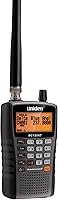
Uniden Bearcat BC125AT: for organized portable listening
The BC125AT suits someone who wants named channels in a handheld. Its 500 alpha-tagged channels are divided into 10 banks, so you can group frequencies by area or service and recognize them by name.
That organization helps if you move between places with different compatible channels. Build separate banks before departure instead of scrolling through a long mixed list when you arrive.
Close Call RF capture finds nearby transmitters, while its Do Not Disturb mode avoids Close Call checks during a transmission. Use it to discover activity nearby, not as a replacement for programming your intended channels.
Skip this model if your main target uses digital or trunked communications. Its receive-only design also means it cannot serve as a radio for talking to other drivers.
For a closer look at its controls and limits, read our Uniden Bearcat BC125AT review.
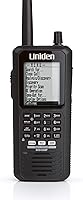
Uniden BC355N: for a planned base/mobile setup
The BC355N suits someone who prefers a unit with vehicle power connections over a handheld. It includes a DC power cable, an automotive power outlet plug, and an AC adapter for home use.
It stores 300 frequencies and has preprogrammed service searches. Save the compatible channels you actually want rather than relying on broad searches to find relevant traffic each time.
Choose a secure location and plan the cable route before buying it for the car. Skip it if you want a scanner to carry around at stops, or if the agencies you follow use digital or trunked systems.
Whistler WS1010: for weather-focused portable listening
The WS1010 suits someone who wants weather features alongside analog scanning. It has SAME weather alerts for specific counties and Skywarn access to storm spotter frequencies.
Its 400 channels sit in 10 memory banks, and Spectrum Sweeper searches for nearby transmissions. Group travel-area channels separately from weather and other interests so you can select a focused bank.
PC programming supports backups, but it requires a PCIF cable and third-party software. Account for those requirements if computer setup is part of your plan.
Skip it if digital police reception is your main goal. Weather alerts are useful support, but keep another way to receive official warnings when reception is poor.
How should you set up a scanner before driving?
Program and secure the scanner while parked. Start with a short set of known, compatible channels so you can learn the controls without sorting through unrelated activity.
For programming steps, follow how to program a Uniden Bearcat scanner alongside your model’s manual. Save a copy of your channel plan before making major changes.
A practical setup order is:
- Program the channels for the area where use is permitted.
- Group them by location or service, using names where supported.
- Adjust squelch enough to silence background hiss without unnecessarily excluding weaker signals.
- Set volume so you can still hear traffic and warning sounds.
- Secure the scanner, antenna, and cables before moving.
Keep the unit clear of airbags, pedals, controls, and your view through the windshield. A handheld left loose on a seat can slide away, while a poorly routed power cable can interfere with vehicle operation.
Check the scanner instructions and vehicle manual before choosing a mount or power connection. Stop safely before changing channels, searching menus, or troubleshooting reception.
What mistakes cause poor reception or wasted money?
The biggest mistake is buying before checking system compatibility. Channel capacity tells you how many frequencies you can store, not whether the scanner can decode the traffic on them.
Do not treat a silent channel as proof that the scanner is broken. Confirm the frequency and mode, check squelch and antenna connections, and allow for periods when nobody is transmitting.
Broad searches can also make a scanner seem busy without producing useful local information. Once you find channels you want, save and organize them rather than searching the full range on every outing.
Close Call and Spectrum Sweeper focus on nearby activity; they do not guarantee reception of every agency in an area. Avoid choosing a scanner on the assumption that nearby-signal searches replace a channel plan.
If coverage changes with location, review antenna placement and the surrounding terrain before buying accessories. An antenna change cannot solve an unsupported radio format.
How should you care for a scanner kept in a car?
Protect it from heat, moisture, and loose connections. Follow the manual’s storage and power instructions, and avoid leaving the device in a hot vehicle for long periods.
Wipe the exterior with a soft, dry cloth and keep moisture away from the controls and connectors. Inspect power and antenna cables for damage, especially where they pass near doors or moving seat parts.
For battery-powered use, follow the model’s battery and charging instructions. Remove batteries before extended storage when the manual advises it, and check for leakage before using a stored scanner.
What should you check before crossing state lines?
Review every state on your route, including places you only pass through. Check your destination’s rules as well, particularly if you plan to enter a restricted facility.
Save links to the official rules and note any conditions attached to an exception. Do not assume a license, occupation, or permission in one state automatically carries over elsewhere.
Switching the scanner off or placing it in the trunk may not address a possession restriction. If you cannot confirm permission before leaving, leave the scanner behind.
How should you decide whether to keep a scanner in your car?
Decide whether a police scanner in your car is legal before choosing the hardware. Then confirm that the services you want remain available in a format the scanner supports.
Choose the BC125AT for named-channel organization in a portable unit, the BC355N for a planned base/mobile arrangement, or the WS1010 when portable weather features matter most. Skip all 3 if your main purpose requires digital police reception.
For the next step, compare the best police scanners against your confirmed local system and intended use. A suitable scanner is one you may carry, can receive the channels you need, and can operate without drawing attention away from driving.
Frequently asked questions
Is it legal to have a police scanner in your car?
Whether a police scanner in your car is legal depends on the rules where you drive and your circumstances. Check current official sources for vehicle possession, installation, and operation restrictions.
Permission to own a scanner at home does not automatically mean you may carry or use it in a vehicle.
Can you use a police scanner while driving?
Use depends on both scanner laws and traffic rules that apply where you drive. Confirm permission first, then program channels and set the volume before moving.
Stop somewhere safe before making changes, and remember that a mount or hands-free setup does not itself make scanner use legal.
Can you take a police scanner across state lines?
Check the current laws in every state on your route before taking a scanner across state lines, including states you only pass through. Review any exceptions and their requirements.
If you cannot confirm permission, leave it behind; switching it off or putting it in the trunk may not satisfy a possession restriction.
Are police scanners legal for convicted felons?
That depends on applicable law and any conditions attached to your case. Check whether scanner rules address felony convictions, vehicle possession, or permission requirements before carrying a device.
Ask a local attorney to review the current statute alongside any probation, parole, or court conditions that apply to your situation.