7 Best Truck GPS Navigators (October 2026)
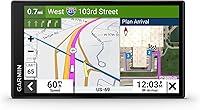
The best truck GPS navigators include the Garmin dēzl OTR620 for mixed trucking routes, the Garmin dēzl OTR610 for planned overnight runs, and the Garmin dēzl OTR720 for midsize cab setups.
On this page (7 sections)
- Which truck GPS fits each cab and route?
- How did we choose these truck GPS picks?
- How do you choose the best truck GPS for your work?
- How should you set up a truck GPS before the first trip?
- What mistakes should you avoid with truck navigation?
- How do you care for a truck GPS and keep it useful?
- Which best truck GPS should you choose for your next route?
The Garmin dēzl OTR620 is the best truck GPS for most drivers because it balances truck routing, destination imagery and a compact display. Choose the OTR610 for full-trip stop planning, or move to a larger dēzl when your seating position calls for more screen area.
The right choice depends on your truck profile, where the screen will sit and how much help you need at unfamiliar deliveries. A larger display won't correct an inaccurate vehicle profile or a route that ignores posted restrictions.
Use our truck and RV GPS guide to compare device types, and read truck GPS vs. car GPS if you're unsure which kind fits your vehicle.
Our picks at a glance
-
1

-
2

-
3

Which truck GPS fits each cab and route?
The OTR620 is the strongest starting point for a typical truck setup, while the other picks solve more specific planning, viewing or load-profile needs. Choose by the task you need help with each day, then check whether the unit fits your cab.
| Product | Best for | Screen | Route focus | Connected tools | Our score |
|---|---|---|---|---|---|
| Garmin dēzl OTR620 | mixed trucking routes | 6 inches | Truck routing and arrival planning | Community locations and wind alerts through the app | 9.0 |
| Garmin dēzl OTR610 | planned overnight runs | 6 inches | Full-trip fuel and break planning | Live traffic and weather through the app | 8.7 |
| Garmin dēzl OTR720 | midsize cab setups | 7 inches | Truck routing and arrival planning | Community locations and wind alerts through the app | 8.5 |
| Garmin dēzl OTR1010 | route overview planning | 10 inches | Split-screen route and weather overview | Live traffic and weather through the app | 8.2 |
| Garmin dēzl OTR820 | roomy daily cabs | 8 inches | Truck routing and arrival planning | Community locations and wind alerts through the app | 7.6 |
| Garmin dēzl OTR1020 | spacious long-haul cabs | 10 inches | Large-screen arrival and truck routing | Community locations and wind alerts through the app | 7.2 |
| Rand McNally RANDTAB7 | complex load profiles | LCD touchscreen; confirm exact size | Detailed load and trailer profiles | Traffic, weather and fuel information | 6.9 |
Garmin dēzl OTR620
- 6-inch touchscreen
- Custom routing by truck size and weight
- BirdsEye Direct Satellite Imagery
- Community truck locations through the dēzl app
Choose the OTR620 for truck routing and destination help in a compact cab setup. Its community location and wind features require the dēzl app on a compatible smartphone.
Pros
- Arrival imagery for docks and gates
- CAT Scale search in the U.S. and Canada
- Community parking information through the app
Cons
- Connected features need a compatible smartphone
- Custom truck routing is not available in all areas
The OTR620 suits drivers who make varied deliveries and want help with both the road route and the final approach. Its 6-inch touchscreen keeps the navigation setup compact, making it a sensible starting point where dashboard space is limited.
Custom routing uses truck size and weight, while BirdsEye Direct Satellite Imagery shows overhead destination views. That combination is useful when the street address gets you near a facility but doesn't explain which side holds the truck gate.
Pair it with the dēzl app on a compatible smartphone for community parking and shared truck locations. Those tools suit drivers who regularly work beyond familiar stops and want more context before choosing an approach.
Skip this model if a compact display would be hard to read from your chosen mounting spot. The OTR720 offers a modest step up in screen area, while the OTR610 deserves a closer look if organizing the whole trip matters more than community location tools.
Garmin dēzl OTR610
- 6-inch touchscreen
- Route planner for fuel, breaks and overnight stays
- Bridge, weight limit, curve and grade alerts
- North America map updates
The OTR610 suits drivers who plan fuel stops, breaks and overnight stays before departure. Arrival imagery and a truck services directory help connect that plan to individual stops.
Pros
- Complete-route planning
- Truck services filters by brand or amenity
- North America map updates
Cons
- Live traffic and weather require phone pairing
- Some routes may not account for every vehicle characteristic
The OTR610 is the pick for drivers who prefer to build a stop plan before departure. Its route planner helps you review the complete trip and consider fuel stops, comfort breaks and overnight stays together.
That matters when a convenient stop early in the day could leave an awkward gap later. The Truck & Trailer Services directory lets you narrow stops by brand or amenity instead of treating every roadside business as equally useful.
North America map updates and BirdsEye Satellite Imagery support the route and destination sides of the job. Its road alerts cover bridge heights, weight limits, curves and steep grades, giving you several reasons to review an unfamiliar stretch before reaching it.
Choose this model for a deliberate planning routine in a compact cab setup. Skip it if your main reason for buying is the community-shared parking and entrance information described for the newer dēzl models, or if you need a larger display.
Garmin dēzl OTR720
- 7-inch touchscreen
- Custom truck routing
- BirdsEye Direct Satellite Imagery
- Community truck locations through the dēzl app
The OTR720 suits drivers who need more viewing area than the compact models offer. It keeps the routing, arrival and community tools that make the OTR620 useful.
Pros
- More screen area than the compact picks
- CAT Scale search in the U.S. and Canada
- Wind alerts through the app
Cons
- Needs more mounting space than the compact models
- Community features require phone pairing
The OTR720 suits drivers who like the OTR620's approach but need a little more viewing room. Its 7-inch touchscreen is a useful middle choice when the compact models feel small and the larger units would crowd the cab.
You retain truck routing, overhead arrival imagery and app-connected community locations. The buying reason is the display fit, rather than a different routing approach from the OTR620.
It also offers nearby CAT Scale searches in the U.S. and Canada, break planning and a services directory. Scale search helps you locate a place to check the truck; the navigator itself does not verify your actual load weight.
Pick this model when the mounting position is just far enough away to make a larger screen worthwhile. Skip it if the OTR620 is already easy to read from your seat, or choose the OTR820 if you have space and want a more substantial increase in viewing area.
Garmin dēzl OTR1010

- 10-inch touchscreen
- Landscape or portrait viewing
- Split-screen route and weather overview
- Route planner for fuel, breaks and overnight stays
Choose the OTR1010 when you want the active map beside a remaining-route and weather overview. Its display and mounting hardware suit a cab with room for a dedicated navigation position.
Pros
- Split-screen route overview
- Portrait or landscape viewing
- Multiple included mounting options
Cons
- Large display needs careful placement
- PrePass notifications require an active account and app
The OTR1010 suits drivers who want to see the next maneuver and the broader trip at the same time. Its split-screen view places the active map beside a remaining-route overview and impending wind and weather conditions.
The 10-inch display supports landscape or portrait viewing. That gives you a choice of layouts, though either position needs a clear place in the cab where the screen won't hide the road or important controls.
Its route planner supports fuel, break and overnight planning, making this a logical alternative to the OTR610 for drivers who want those tools on a larger display. Included hardware covers a powered magnetic mount, screw-down mount and ball adapter with an AMPS plate.
Choose it when the route overview is a feature you'll use regularly. Skip it if you only need the next turn, or if the display would force an awkward reach or obstruct your view.
Garmin dēzl OTR820

- 8-inch touchscreen
- Community truck locations through the dēzl app
- Custom truck routing
- Powered magnetic mount
The OTR820 fits drivers who want a larger daily navigation display without moving to the largest models. Its powered magnetic mount and alternative mounting hardware give you several installation choices.
Pros
- Middle ground between compact and extra-large models
- BirdsEye Direct Satellite Imagery
- Screw-down mount and ball adapter included
Cons
- More cab space needed than the compact picks
- Community and wind features require phone pairing
The OTR820 fits drivers who want a generous navigation display without moving to the largest size here. Its 8-inch touchscreen is the middle option for a roomy cab where compact models sit too far from the driver.
It combines overhead arrival imagery with community-shared truck locations through the app. This suits drivers who want to review unfamiliar facilities on a larger screen before starting the final approach.
The powered magnetic mount is part of a package that also includes a screw-down mount and a ball adapter with an AMPS plate. Compare those options with the actual mounting surfaces in your truck before choosing a permanent position.
Choose the OTR820 for its balance of viewing area and cab fit. Skip it if you're expecting a different routing approach from the smaller newer dēzl models, since the main reason to step up is the screen and mounting setup.
Garmin dēzl OTR1020

- 10-inch touchscreen
- Landscape or portrait mounting
- BirdsEye Direct Satellite Imagery
- Community parking through the dēzl app
The OTR1020 fits drivers who want the newer community tools on an extra-large display. Choose it only after checking the full mounting space and your view from the driving seat.
Pros
- Portrait or landscape placement
- Powered magnetic mount and alternative mounting hardware
- CAT Scale search in the U.S. and Canada
Cons
- Largest display size in this group
- Several features depend on the dēzl app
The OTR1020 is for drivers who want the newer community features on an extra-large display. It suits a spacious long-haul cab with a dedicated navigation position better than a crowded dashboard shared with several other devices.
Its 10-inch touchscreen supports portrait or landscape mounting. Before choosing an orientation, consider the full installed shape, including the mount and cable, rather than measuring only the screen.
The unit includes a powered magnetic mount, screw-down mount and ball adapter with an AMPS plate. It also has 32 GB of memory, but storage alone is not a reason to choose it over a model that fits your view better.
Pick the OTR1020 when community location tools and a large display both serve your daily work. Skip it if those connected tools won't be part of your routine; compare the OTR1010 for its split-screen route overview or choose a smaller unit for a simpler cab layout.
Rand McNally RANDTAB7
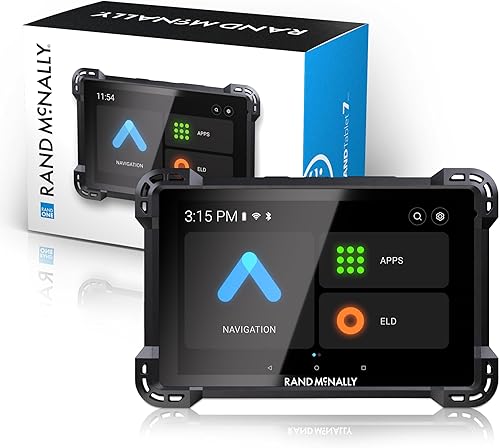
- Weight, height, width and HazMat settings
- Trailer configuration and axle choices
- Rand Navigation 2.0 with 2025-edition maps
- Traffic, weather and fuel information
The RANDTAB7 suits drivers whose route setup needs detailed cargo and trailer inputs. Confirm the screen size before ordering because Rand McNally describes it as both 7 and 8 inches.
Pros
- HazMat and trailer configuration choices
- Axle settings from 2 to 15
- Truck warnings and service points of interest
Cons
- Conflicting screen-size descriptions
- Load settings cannot replace road restriction checks
The RANDTAB7 suits drivers whose cargo and trailer setup require more detailed route inputs. Its settings cover weight, height, width, HazMat type, trailer configuration and axle count, with axle choices from 2 to 15.
Rand Navigation 2.0 includes 2025-edition maps, traffic, weather and fuel information. Truck-related warnings cover items such as narrow roads, engine brake restrictions, hills and construction zones.
The load settings are the reason to put this model on your shortlist. They let you describe the combination more closely, though you still need to review whether a proposed road and entrance are suitable for the trip.
Confirm the exact screen size before ordering because Rand McNally describes it as both 7 and 8 inches.
Skip this model if destination imagery and Garmin's community location tools are your priority; our Garmin dēzl vs. Rand McNally comparison helps you weigh those differences.
How did we choose these truck GPS picks?
We compared routing inputs, arrival tools, trip planning, screen fit and connection requirements against common trucking needs. The order favors a practical everyday fit, so the largest screen doesn't automatically take the highest position.
The OTR620 leads because it combines road and destination help without demanding much cab space. The OTR610 follows for drivers who place more value on reviewing an entire trip and its planned stops.
The larger Garmin models earn their places for specific viewing needs. Rand McNally adds a different option for drivers who want detailed cargo and trailer settings rather than another screen size within the same Garmin range.
How do you choose the best truck GPS for your work?
Start with vehicle inputs and cab fit, then decide which planning features you'll actually use. A navigator should match your daily decisions, not simply have the longest feature list.
What makes the best truck GPS for your rig?
The best truck GPS lets you build a useful vehicle profile and review a route before departure. Garmin's custom routing uses truck size and weight, while the RANDTAB7 offers explicit cargo, trailer and axle choices.
Write down the dimensions and weight information for the combination you'll actually drive. Don't substitute tractor dimensions for the full vehicle, guess the loaded height or leave an old trailer profile active after a change.
For unusual loads, check the inputs you need before choosing a device. Detailed settings help describe the truck, but they don't replace load-specific route planning or required operating instructions.
Which screen size fits your seating position?
Choose a screen you can read from your normal driving position without leaning forward. More display area is useful only when the installed unit leaves your road view clear.
Make a paper template of the unit's outer dimensions and hold it at the proposed mounting point while parked. Check it from your usual seat height, including the space the mount needs behind and below the device.
A compact unit placed close enough may suit you better than a large one pushed into an awkward corner. If another driver shares the cab, check the position from their seat settings too.
Will phone-connected tools earn their place?
Choose connected features when you'll maintain the phone pairing and use the information they add. The newer dēzl models here use the app for community truck locations and wind alerts.
The OTR610 and OTR1010 offer live traffic and weather through a compatible smartphone connection. PrePass notifications across these Garmin picks require both the app connection and an active PrePass account.
Separate those requirements before deciding what you're buying. A paired phone, an active service account and the navigator are different parts of the setup.
Do unfamiliar deliveries or long trip plans cause more work?
Prioritize arrival imagery if finding the correct facility entrance is your recurring problem. Prioritize full-route planning if deciding where to fuel and stop takes more effort.
An overhead view can help distinguish a warehouse's passenger entrance from the side used by trucks. It won't tell you whether a gate is open, a yard layout has changed or a receiving team wants a different approach today.
For repeated routes with familiar destinations, a well-planned sequence of stops may matter more than fresh arrival research. Match the feature to the task you repeat most often.
How should you set up a truck GPS before the first trip?
Set up the vehicle profile, mounting position, power and planned route while parked. Complete those steps before departure so the first unfamiliar junction isn't also your first attempt to use the controls.
Enter the current truck and trailer details
Use known vehicle measurements and load information, then review the units shown on the screen. Confusing feet with meters or entering an empty weight for a loaded trip can undermine the route from the start.
Revisit the profile whenever the combination or load changes. If you drive several configurations, use a consistent routine to confirm which one is active before calculating the route.
Position the mount and secure the cable
Choose a firm mounting point that leaves instruments, controls and your road view clear. Check the navigator's mounting instructions before using screw-down hardware, and confirm what's behind any surface before making holes.
Route the power cable away from pedals, steering movement and places where it could catch during entry or exit. Turn the wheel and adjust the seat while parked to check clearance.
Prepare maps and connected services
Check for map and software updates before a trip rather than starting the process at departure time. Our Garmin dēzl map update guide explains that routine for Garmin owners.
Pair the compatible phone while parked and confirm that the connected tools you want are available. If you use PrePass, check the account setup separately rather than assuming Bluetooth pairing completes it.
Review the whole route and the final approach
Look over the proposed route, planned stops and last few roads into the destination. Compare the approach with delivery instructions, especially when the business address sits on a road used mainly by passenger vehicles.
Save useful destination details before leaving. A gate name, entrance street and receiving contact can help resolve uncertainty without circling the property.
What mistakes should you avoid with truck navigation?
Avoid following a route without checking its assumptions, especially after a vehicle change or unexpected detour. Garmin notes that custom truck routing is not available everywhere and some suggestions may not account for all vehicle characteristics.
Treating an alert as complete road coverage
A missing warning doesn't confirm that a road is suitable. Read posted restrictions and assess current conditions even when the map continues straight ahead.
If guidance conflicts with a sign, follow the sign and find a suitable place to stop and review the route. Don't make a sudden turn or attempt a tight recovery just to stay on the suggested line.
Entering only the business address
An address may lead toward an office, customer lot or entrance on the wrong side of a large site. Review the truck approach and confirm unclear instructions with the destination before committing to a narrow access road.
Use imagery to form a plan, then check what you see on arrival. Construction barriers, closed gates and yard operations can change the usable approach.
Treating parking information as a reserved space
Community parking information helps you identify possibilities; it doesn't hold a place for your arrival. Build a backup stop into your plan instead of leaving one option late in the day.
Check that the stop fits your vehicle and needs. A location being useful to another driver doesn't mean it has the access, services or space your combination requires.
Following a reroute without reviewing it
A suggested alternate route still deserves a truck suitability check. A delay on the original road doesn't make every nearby side road a workable substitute.
When you're unsure, keep your driving predictable and stop somewhere suitable to assess the options. Don't let the desire to recover a few minutes turn into an avoidable access problem.
How do you care for a truck GPS and keep it useful?
Keep the screen, mount, power connection and saved information in good condition. Small checks during a parked pre-trip routine are easier than dealing with a loose unit or unreadable display on the road.
Use a clean microfiber cloth on the screen and follow the manufacturer's cleaning directions. Avoid spraying liquid directly onto the device or using abrasive materials.
Check the mount for movement and inspect cables for pinching or worn insulation. Keep connectors free of dirt, and don't pull the unit loose by its power cable.
Remove the navigator from direct sun when parked for long periods if practical, following its storage guidance. Don't leave a loose device where it can fall or slide into the footwell.
Review saved destinations when entrances change, and check maps before unfamiliar work. If the position marker appears wrong, our guide to why a car GPS shows the wrong location covers useful first checks.
Which best truck GPS should you choose for your next route?
Choose the OTR620 when you want a compact everyday navigator, and the OTR610 when your main task is planning fuel, breaks and overnight stops. Pick the OTR720 or OTR820 when a larger display solves a real viewing problem in your cab.
For a spacious setup, choose the OTR1010 for its split-screen route overview or the OTR1020 for newer community tools on the largest display size here. Choose the RANDTAB7 when detailed load and trailer inputs drive your decision.
Before ordering the best truck GPS for your work, settle the mounting position and write down the vehicle settings you need. For help matching a navigator to other vehicle types, read our GPS navigator buying guide for cars, trucks and RVs.
Further reading
Our top 3 picks at a glance
-
1
-
2
-
3
Frequently asked questions
What is the best truck GPS for most drivers?
The Garmin dēzl OTR620 is the best truck GPS for most drivers because it balances truck routing, arrival imagery and a compact display. Choose a larger model if the screen will sit farther away, or the OTR610 if reviewing fuel stops and overnight stays is your main priority.
Is truck GPS routing always accurate for my rig?
No truck GPS can replace posted signs, current road conditions and a careful route review. Garmin notes that custom routing is not available in all areas and some suggestions may not account for every vehicle characteristic.
Enter accurate truck details and check unfamiliar approaches before committing to a turn.
Do Garmin dēzl truck GPS features need a phone?
Some features require a compatible smartphone and the dēzl app. The OTR620, OTR720, OTR820 and OTR1020 use that connection for community parking information and wind alerts.
PrePass notifications also require an active PrePass account, so phone pairing alone does not enable every connected service.
Should I choose a 10-inch truck GPS?
Choose a 10-inch truck GPS when you have a clear mounting position and want more viewing area from your normal seat position. The OTR1010 and OTR1020 support portrait or landscape viewing.
Check the mount, cable path and windshield view before choosing either over a smaller unit.
How is the Rand McNally RANDTAB7 different?
The RANDTAB7 stands out for detailed load settings covering weight, height, width, HazMat type, trailer configuration and axle count. It suits drivers who need those inputs when building a route.
Choose among the Garmin models here if destination imagery or app-connected community truck locations matter more to your work.