Truck GPS vs Car GPS: Do You Need the Truck One? (October 2026)
For truck GPS vs car GPS, choose a truck navigator when vehicle size and weight affect your route; choose a car navigator for ordinary driving. Truck entrance, parking and arrival tools matter most when you drive a commercial rig.
On this page (10 sections)
- Truck GPS vs car GPS: what changes on the road?
- Who should choose a truck GPS?
- When is a car GPS the better buy?
- How should you compare screens and controls?
- Which features require a phone or account?
- How do you set up a GPS before the first trip?
- How should you use and care for the navigator?
- What mistakes should you avoid when choosing?
- What should you check before placing an order?
- Truck GPS vs car GPS: make the final decision
The main difference in truck GPS vs car GPS is vehicle-aware routing: choose a truck navigator when your rig's size and weight affect road access, and a car navigator for ordinary driving. Truck-specific arrival and parking tools can matter just as much as the route itself.
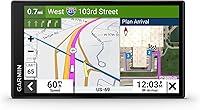
The Garmin dēzl OTR620 suits commercial truck work. The Garmin DriveSmart 66 suits car drivers who want voice assist and connected trip information, while the Garmin Drive 53 covers everyday directions and stops along the way.
Buy for the vehicle and work you do, then choose the controls and screen that fit your cab.


Truck GPS vs car GPS: what changes on the road?
A truck GPS can account for vehicle size and weight when planning a route; a car GPS provides general driving directions. Both can guide you to an address, but reaching the correct street is only part of a truck delivery.
A passenger car can often use an entrance that leaves a tractor-trailer with no room to turn. A business address may also lead toward customer parking while freight access sits on another road.
The dēzl OTR620 offers custom truck routing, bridge height alerts and sharp curve warnings. Its custom routing is not available in all areas, and posted road signs and current conditions take priority.
The DriveSmart 66 and Drive 53 offer car navigation and driver alerts, including school zones, sharp curves and speed changes. Those alerts help with awareness but do not turn a car navigator into a truck routing system.
All 3 cover North America. The useful distinction is what each does with your route and destination, rather than which map region appears on the box.
Who should choose a truck GPS?
Choose a truck GPS if road restrictions, freight entrances or truck stops affect your working day. It is the right category for a commercial driver whose route needs more planning than a passenger-car journey.
The value grows when you visit unfamiliar facilities. Knowing where to approach, where you may park and where you can take a break helps you plan the whole trip before departure.
Local work can justify truck tools, too. A short delivery through narrow streets may need more care than a long highway drive, especially when the receiving entrance is separate from the public entrance.
Skip the truck model if you drive a personal pickup on ordinary trips and have no need for its vehicle profile or freight tools. The word “truck” on your vehicle registration alone is not a buying reason.
For towing, confirm that the navigator supports your actual vehicle combination. Do not assume a truck profile covers every trailer or motorhome; our guide to the best truck GPS navigators gives you more truck-focused choices.
Truck GPS vs car GPS for loading docks and parking
Arrival planning is a major reason to choose the dēzl OTR620 over a car navigator. BirdsEye Direct Satellite Imagery provides high-resolution overhead views so you can examine a destination before approaching it.
Use that view to understand the building layout and likely approach roads. Confirm receiving instructions with the facility when the correct gate, permitted approach or unloading area remains unclear.
The OTR620 also has truck-friendly parking information, nearby CAT Scale searches in the U.S. and Canada, and a Truck & Trailer Services directory searchable by brand or amenity. These tools suit drivers planning breaks and work stops.
Pairing a compatible smartphone with the dēzl app adds community parking information and shared loading docks, security gates and truck entrances. Treat community details as leads to check, especially when a business changes its access arrangements.
When is a car GPS the better buy?
Choose a car GPS when general directions and places to stop cover your travel needs. It is the better fit for commuting, family visits and road trips in a passenger car or a pickup used for personal travel.
Start by deciding how you want to control it. A driver who wants to request destinations by voice has different needs from someone who enters an address while parked and follows spoken directions.
Choose the DriveSmart 66 for voice and connected trips
The DriveSmart 66 suits drivers who will use voice assist and live information. Garmin voice assist lets you ask for directions, while compatible-phone pairing also supports hands-free calling.
Its road-trip tools include a U.S. national parks directory, the HISTORY database of notable sites and Foursquare points of interest. These help when your trip includes sightseeing rather than just a fixed destination.
Skip it if you mainly want a device for preplanned routes and won't use its connected tools. Our Garmin DriveSmart 66 review explains its fit in more detail.
Choose the Drive 53 for everyday directions
The Drive 53 suits drivers who set a destination before leaving and want spoken guidance. Garmin Real Directions uses landmarks in turn instructions, and the device shows food, fuel and rest areas along the active route.
It also includes a U.S. national parks directory for finding entrances, visitor centers and landmarks. That makes it useful for leisure trips without making voice search a priority.
Skip it if voice control is a must or its smaller screen is hard to read from your seating position. For a wider view of vehicle needs, use our car GPS buying guide.
How should you compare screens and controls?
Choose a screen you can read from your normal driving position without blocking your view. The dēzl OTR620 and DriveSmart 66 have 6-inch displays; the Drive 53 has a 5-inch display.
Measure the space where you plan to mount the device before ordering. A larger screen loses its advantage if the only available position is too far away or creates glare.
Think about reach as well as size. You should be able to make adjustments while parked without stretching across the cab, and the power cable should stay clear of steering controls and pedals.
Voice assist can reduce menu use, but set up destinations and review routes before moving. If clear maps and simple controls are your main concerns, our guide to car GPS for seniors and older drivers offers a useful checklist.
Which features require a phone or account?
Compare the services you will actually use and their connection requirements before buying. Phone-based features need more preparation than turning on the navigator and entering an address.
On the OTR620, wind overlays and high-wind alerts require the dēzl app on a compatible smartphone. PrePass weigh station and bypass notifications also require an active PrePass account and a Bluetooth-enabled phone running the app.
The DriveSmart 66 uses a compatible phone running the Garmin Drive app for live traffic, parking, weather and smart notifications. Alexa also requires that phone-and-app connection, and you should use it only when safe.
Before departure, open the right app and confirm the connection. A paired phone is useful only if the service you need is ready to work.
If you want fewer steps, choose around your core needs rather than collecting connected features. The Drive 53 is the car choice here for drivers focused on directions, alerts and route-side stops.
How do you set up a GPS before the first trip?
Finish setup while parked, then review a familiar route before depending on the device for an unfamiliar journey. This gives you time to learn the menus and check the mount.
- Fit the mount securely. Follow the device instructions and local mounting rules, keeping the screen clear of airbags and your road view.
- Route the power cable safely. Leave enough slack for adjustment without letting the cable hang near controls.
- Update maps and software. Complete available updates with enough time to resolve problems before departure.
- Enter accurate vehicle details. For truck routing, use the actual dimensions and weight requested by the navigator.
- Confirm the destination. Check the full address, intended entrance and any receiving instructions.
- Review the route overview. Look for unfamiliar access roads, awkward approaches and stops that need more planning.
- Set sound and display levels. Make spoken directions audible without covering other sounds you need to hear.
Recheck truck details when you change trailers or the vehicle setup. Guessing a dimension undermines the purpose of buying vehicle-aware routing.
The DriveSmart 66 supports map and software updates through built-in Wi-Fi without a computer. For the truck model, follow our Garmin dēzl map update guide before a long trip.
How should you use and care for the navigator?
Keep maps current, the mount secure and the screen readable. A short check before departure is easier than sorting out loose cables or an unreadable display on the road.
Inspect the mount and power connection before a long drive. Secure loose cable sections, and stop safely if the unit shifts position or starts blocking your view.
Clean the screen as directed in the manual, using a soft cloth and avoiding abrasive cleaners. Follow storage and temperature guidance, and remove the navigator from view when parking.
Check map updates ahead of unfamiliar journeys rather than starting a large update just before leaving. Save key addresses and keep delivery contact details accessible so you can confirm an entrance if directions are unclear.
If the position marker appears wrong, stop somewhere safe before changing settings. Our guide to why a car GPS can show the wrong location explains what to check.
For truck work, review the final approach before reaching busy streets. If you miss a turn, continue to a safe place to reassess rather than making a rushed turn or reversing into traffic.
What mistakes should you avoid when choosing?
The biggest mistake is buying by screen size or overall score before checking vehicle fit. A car navigator with more convenience features still cannot replace the truck routing you need.
Our scores compare each model's features with its intended use. The DriveSmart 66's higher score does not make it the right tool for commercial truck routes.
Other mistakes can leave you with the wrong device or a poor route:
- Treating a pickup like a commercial rig. Choose truck tools because the journey needs them, rather than because of the vehicle's name.
- Assuming every towable setup is supported. Check the exact vehicle profile before choosing a navigator for a trailer.
- Using a street address as an entrance plan. Confirm where freight vehicles should approach and wait.
- Ignoring app requirements. Decide whether you will keep a compatible phone connected for the services you want.
- Expecting every restriction to be covered. Review the route and follow current signs, closures and conditions.
- Changing settings while moving. Pull over safely before correcting a destination or investigating an unexpected route.
A second common error is assuming a new route must be safe because the GPS recalculated it. Recheck an unfamiliar detour against your vehicle needs, especially after leaving the planned truck approach.
What should you check before placing an order?
Make your final choice by matching 3 real journeys to the tools you need. Use a normal workday, an unfamiliar destination and a longer trip rather than judging by a feature list alone.
For each journey, ask where the current difficulty lies. It might be road access, finding the correct gate, reading the screen, entering destinations or planning stops.
If road access and freight arrivals dominate, compare the Garmin dēzl OTR620 review with your vehicle requirements. If general directions and car-trip controls dominate, compare the best car GPS navigators.
Also check the physical setup: mount position, cable path and screen distance. These everyday details can matter more than a feature you might use once.
Truck GPS vs car GPS: make the final decision
For truck GPS vs car GPS, let the hardest part of your regular journey decide. Choose the dēzl OTR620 when vehicle restrictions and freight arrivals shape the trip, the DriveSmart 66 for connected car travel, or the Drive 53 for everyday spoken guidance.
Before buying, write down the vehicle details and 2 features you need most. If the trip involves a motorhome or travel trailer, use our RV GPS guide to check RV-focused choices before settling on a truck or car model.
Frequently asked questions
Is a truck GPS worth it for a pickup truck?
A truck GPS makes sense for a pickup when vehicle dimensions, weight or truck-specific stops affect the trip and the navigator supports the right vehicle profile. For personal driving without those needs, choose a car GPS.
If you tow, confirm support for the full combination before relying on custom routing.
Can I use a car GPS in a semi truck?
A car GPS can show general directions, but it is not a substitute for truck routing in a semi. Its suggested route should not be assumed to account for truck size or weight.
Use truck-focused route planning, verify the delivery approach and follow posted restrictions even when guidance points elsewhere.
Does a truck GPS avoid every low bridge?
No, a truck GPS cannot be relied on to avoid every low bridge. The dēzl OTR620 offers bridge height alerts and custom truck routing, but routing coverage varies by area.
Use accurate vehicle measurements, check the planned route and obey posted clearances and current road conditions throughout the trip.
Do truck GPS features need a phone?
Some truck GPS features need a phone, so check the services you expect to use. On the dēzl OTR620, community parking information and wind alerts require the dēzl app on a compatible smartphone.
PrePass notifications also require an active PrePass account and a Bluetooth-enabled smartphone running the app.
Which Garmin GPS is better for an RV?
Choose an RV navigator based on support for your motorhome or towable combination, rather than assuming any truck model is suitable. The dēzl OTR620 offers truck routing, while the DriveSmart 66 and Drive 53 are car navigators.
Our RV GPS guide compares RV-focused choices and the vehicle details to consider.