How to Choose an RV GPS: Garmin RV 795 vs 895 vs 1095
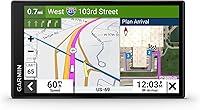
Choose an RV GPS that fits your driving view: the Garmin RV 795 for a smaller display, the RV 895 for a larger screen with a remaining-route overview, or the RV 1095 for the most screen space. All three offer size- and weight-based routing, but posted signs and current road conditions take priority.
On this page (11 sections)
- Which Garmin RV GPS should you choose?
- How does RV GPS routing work?
- How do you choose a screen and mount that fit?
- Which model fits your travel routine?
- Which shared travel tools are useful?
- Which features depend on Garmin Drive?
- How should you set up an RV GPS before the first trip?
- How do you use and care for it on travel days?
- What mistakes should you avoid when buying an RV GPS?
- Is an RV-specific GPS worth choosing over a car GPS?
- Which RV GPS should you buy?
Choose an RV GPS that fits your cab first, then compare the route-planning and phone features you'll use. The Garmin RV 795 suits a smaller mounting space, the RV 895 adds a larger view without choosing the biggest model, and the RV 1095 puts screen space first.
All three offer custom routing for your RV or trailer's size and weight. The buying decision is less about collecting features and more about getting clear guidance in a place you can see comfortably.
Which Garmin RV GPS should you choose?
Choose the RV 795 for a smaller display, the RV 895 for a middle-size screen, or the RV 1095 for the largest map view. The two larger models also offer portrait or landscape viewing and an overview of your remaining route beside the active route.
| Model | Screen | Best fit | Main reason to skip it |
|---|---|---|---|
| Garmin RV 795 | 7 in | Drivers with limited mounting space | You want the remaining-route overview offered by the larger models |
| Garmin RV 895 | 8 in | Drivers balancing map space and cab fit | Your mount area is tight, or maximum screen space is your priority |
| Garmin RV 1095 | 10 in | Drivers with room for a large display | It crowds your sightline, controls or other equipment |
Start with the middle model if you're unsure, then work in either direction based on fit. Choose the smaller one when cab space matters most, or the largest when you have a clear mounting position and want more room to view the map.
A bigger display does not make the route more suitable for your rig. Keep screen choice separate from route checks.
How does RV GPS routing work?
RV routing uses your vehicle profile to suggest roads for your rig, but it cannot guarantee a suitable route. Garmin warns that custom routing is not available in all areas and may not account for every vehicle characteristic in every suggestion.
These models also warn about steep grades, sharp curves and weight limits. Use those alerts as prompts to assess the road ahead, rather than permission to continue past a restriction.
Enter accurate measurements for your travel setup, including roof equipment when working out total height. For towing, check which measurements each profile field requests instead of assuming every field refers to the trailer alone.
Use the correct units and distinguish actual travel weight from a vehicle's maximum allowed weight. Follow the device instructions for the weight value it requests.
For a broader explanation of vehicle profiles, read our guide to truck GPS vs car GPS. A vehicle-specific navigator helps with planning, but the driver still makes the final road choice.
How do you choose a screen and mount that fit?
Choose a screen you can read from your normal driving posture without blocking the road view. Measure the whole device and mount area, since the advertised screen size describes the display rather than the complete installation.
Sit in the driver's seat and consider the mount's height, reach and viewing angle. Leave room for vents, switches, mirrors and any other displays you need.
A paper template can help you judge the space before ordering. Use the device's full dimensions when making it, then allow extra room for the mount and cable.
Check the position in daylight and consider reflections from side windows. A location that looks clear while parked in shade may be awkward with sunlight across the screen.
The RV 795 includes a vehicle suction cup mount and power cable. The RV 895 includes a powered magnetic suction cup mount, a screw-down mount and a ball adapter with an AMPS plate.
The RV 1095 includes a powered magnetic suction cup mount and a ball adapter with an AMPS plate. Check the chosen attachment method and mounting surface before committing to a permanent installation.
Which model fits your travel routine?
Choose by what you'll use during a normal travel day, rather than by the longest feature list. Your mounting space, planning habits and willingness to pair a phone matter more than extras you'll rarely open.
Garmin RV 795: an RV GPS for tighter cab layouts
The RV 795 suits drivers who want dedicated RV guidance without giving a large part of the dashboard to a screen. It's a sensible choice when your mounting options are limited and you prefer to plan stops before setting off.
Garmin voice assist lets you tell the navigator where you want to go. Smartphone pairing adds hands-free calling, which may suit drivers who want fewer reasons to reach for their phone.
It also supports the BC 50 backup camera and Garmin PowerSwitch digital switch box, each sold separately. Those connections matter if you're planning a compatible camera or want to control vehicle electronics such as lights and fans.
Skip the RV 795 if seeing the broader trip beside your current guidance is a priority. Its smaller format is also the wrong trade if you would need an awkward mounting position just to read it.
Garmin RV 895: for drivers balancing map space and cab fit
The RV 895 suits drivers who want room to review the trip while keeping the largest model off the dashboard. Its remaining-route overview can help you relate the next turn to the rest of the day's drive.
Portrait and landscape viewing give you options when arranging the cab. Choose the orientation while parked and check that the mount remains secure and the power cable stays clear.
This is the most useful starting point for buyers who have no strong reason to go smaller or larger. Confirm the physical fit before treating it as the default choice.
Skip the RV 895 if you prefer a simple, smaller display and rarely look beyond the next part of the route. Move to the RV 1095 only if extra display area solves a clear viewing need.
Garmin RV 1095: for drivers who prioritize map space
The RV 1095 suits a cab with enough room for a large display in a clear sightline. Choose it when you want more screen area for the map and route overview, rather than expecting different roads from a larger device.
Its two viewing orientations let you choose the layout that works with your mounting area. Check both before settling on a position.
A passenger who helps plan stops may also value the larger view while parked. Keep destination changes and detailed map checks out of the driver's workload while moving.
Skip the RV 1095 if the only available location covers part of the windshield or places the screen far to one side. Maximum display size is a poor trade when it makes the installation harder to use.
Which shared travel tools are useful?
The most useful shared tools are campground search and arrival planning. All three include a preloaded directory of RV parks and services, satellite imagery, scenic route suggestions and local place recommendations.
Directory content includes Ultimate Public Campgrounds, KOA, the U.S. national parks directory and PlanRV. Tripadvisor traveler content and Foursquare points of interest add places to consider near your stops.
Use the directory to build a shortlist, then confirm the details that affect your stay. Check access, site length, hookups, reservation rules and arrival hours directly with the campground.
Satellite imagery helps you study the approach before the final turn. Look for the entrance road, check-in area and possible places to wait without blocking traffic.
An aerial view cannot confirm a current closure, an overhanging branch or a gate rule. Campground arrival instructions remain useful even when the map points to the correct property.
All three include North America map updates covering the United States, Mexico, Canada, Puerto Rico, the United States Virgin Islands, Cayman Islands and Bahamas. Check coverage against your full itinerary before planning a trip beyond those areas.
Which features depend on Garmin Drive?
Choose connected features only if you're comfortable pairing and using a compatible smartphone. Treat them as a separate part of the buying decision from the navigator's route and campground tools.
On the RV 795, Garmin Drive adds live traffic, weather, fuel prices and smart notifications. It can also show travel plaza loyalty points at participating providers, including Pilot.
On the RV 895 and RV 1095, the app adds expected weather ahead to the remaining-route overview. That can help you decide where to pause and review conditions before continuing.
Those larger models also use the app for shower availability at Love's and Pilot, parking availability at Pilot, and amenities and restaurant options at participating travel plazas. These tools suit travelers who regularly use those stops.
Connected information can change before you arrive. Keep another stop in mind rather than building a tight schedule around a space or service shown earlier.
Before a long trip, pair the phone and confirm that the features you expect appear correctly. Review app permissions and phone data needs before you leave dependable service.
How should you set up an RV GPS before the first trip?
Set it up while parked and with time to check the route. Finish the profile, mount and phone connection before departure morning.
- Record your travel measurements. Use the RV as it will travel, including relevant roof equipment and the towing setup.
- Enter the profile carefully. Check units and each field's meaning, then review the saved values.
- Check for map updates. Follow the instructions for your model and allow enough time for the process to finish.
- Secure the mount and power cable. Keep the cable clear of pedals, steering movement and controls.
- Adjust the display and sound. Choose settings you can see and hear from your normal seat position.
- Pair your phone if needed. Open the connected features you plan to use instead of assuming pairing alone completes setup.
- Review a familiar route. Check that the destination and selected vehicle profile make sense before planning an unfamiliar journey.
For a campground destination, compare the final approach with its own arrival directions. Save the correct entrance rather than relying on a search result that might lead toward an office or another access road.
If the map places your vehicle somewhere unexpected, stop before following a turn that makes no sense. Our guide to why a car GPS shows the wrong location explains location problems that are worth checking.
How do you use and care for it on travel days?
Review the day's drive before moving, and make detailed changes while parked. That routine gives you time to check stops, unfamiliar roads and the final campground approach.
Plan fuel stops with access in mind, not just distance. Consider the entrance, pump layout and exit path for your full rig before turning in.
Use scenic route suggestions when you have time to inspect the route. A road that looks appealing on the map may require more driving attention than you want on a transfer day.
Check the mount before each drive, especially after storage or a change in temperature. Follow its care instructions and avoid hanging other items from the navigator or mount.
Clean the screen with a soft cloth using Garmin's care guidance. Avoid abrasive materials and keep moisture out of ports and connections.
Plan to use vehicle power during travel rather than treating the navigator like a phone carried between stops. Keep the cable connection accessible so you can check it while parked if the device loses power.
If the RV or towing setup changes, review the saved profile before the next trip. A correct profile for one configuration may be wrong for another.
What mistakes should you avoid when buying an RV GPS?
The biggest mistakes are choosing by screen size alone and expecting routing to replace road checks. Buy for the installation and travel routine you have.
- Choosing the largest screen without measuring. Include the mount, cable and nearby controls in your space check.
- Using an old vehicle profile. Recheck it after changing rigs or towing arrangements.
- Confusing a campground address with its entrance. Follow the campground's directions for RV arrivals.
- Assuming every connected feature works alone. Plan for phone pairing when you want app-based information.
- Following a questionable turn to avoid a missed exit. Continue to a suitable stopping place and reassess instead of forcing a sudden maneuver.
- Making live map changes while driving. Pull over safely or let a passenger handle detailed planning.
- Expecting a directory entry to confirm access. Call ahead when road access or site fit is uncertain.
Also compare RV and truck models by the stops and tools you need. Our best truck GPS navigators guide covers other vehicle-specific choices, while our Garmin dēzl vs Rand McNally comparison helps with a broader brand decision.
Is an RV-specific GPS worth choosing over a car GPS?
An RV GPS is worth considering when vehicle dimensions and campground planning shape your trips. Its value comes from bringing those needs into one device.
A car navigator may still suit someone shopping for ordinary passenger-car travel. Our guide to GPS navigators for cars, trucks and RVs explains how to match the device category to the vehicle.
For mixed commercial and recreational use, compare the actual route and stop tools rather than choosing by brand alone. Our Garmin dēzl OTR620 truck GPS review covers a truck-focused alternative.
None of these choices removes the need to read road signs or inspect an uncertain approach. The useful question is which device makes your regular planning tasks easier.
Which RV GPS should you buy?
Buy the RV 795 when mounting space is the deciding factor, the RV 895 when you want a larger view with room left around it, or the RV 1095 when maximum map space fits comfortably in your cab.
Before ordering, settle three things: the mounting location, the features that need a phone and the travel measurements you'll enter. Those checks turn a broad RV GPS comparison into a choice for your rig.
Once it arrives, plan a familiar drive and review the campground approach before your first long trip. For other vehicle-specific options, browse our truck and RV GPS guides.
Frequently asked questions
What is the difference between the Garmin RV 795, 895 and 1095?
The main difference is display size: the RV 795 has a 7-inch screen, the RV 895 an 8-inch screen, and the RV 1095 a 10-inch screen. The larger models also support portrait or landscape viewing and a remaining-route overview, with expected weather ahead through Garmin Drive.
Does an RV GPS guarantee a safe route for my motorhome?
No, an RV GPS cannot guarantee that every suggested road suits your motorhome. Custom routing uses vehicle size and weight, but coverage varies and some restrictions may not be accounted for; follow posted signs, check current conditions and confirm the campground approach before committing to a narrow road.
Do the Garmin RV 895 and RV 1095 need a phone?
A compatible smartphone running Garmin Drive is needed for expected weather ahead and the connected travel plaza features on the RV 895 and RV 1095. Separate those extras from your basic route needs before buying, especially if you travel where phone service is weak or prefer fewer connected devices.
Which Garmin RV GPS is easiest to see?
The Garmin RV 1095 offers the largest display, but the easiest screen to read depends on your seat position, mounting distance and glare. Check the proposed location from your normal driving posture; a smaller screen placed within a comfortable sightline may suit your cab better than a larger one mounted awkwardly.