Garmin dēzl vs Rand McNally Truck GPS: Which Is Better? (October 2026)
For Garmin dezl vs Rand McNally, choose the OTR620 for shared truck locations and arrival planning, or the RANDTAB7 for detailed load settings. Choose the OTR610 if planning fuel, breaks and overnight stops is your main need.
On this page (10 sections)
- Garmin dēzl vs Rand McNally: which should you choose?
- What makes the Garmin models different?
- Who should choose the Rand McNally RANDTAB7?
- Which routing details should you check before buying?
- How should you plan a warehouse or loading-dock arrival?
- What should you check about connected features?
- How do you set up a truck GPS before the first trip?
- How can you avoid common truck GPS mistakes?
- Should you keep your current GPS instead?
- Final choice: Garmin dēzl vs Rand McNally
For Garmin dezl vs Rand McNally, choose the OTR620 for finding truck access points and parking, or the RANDTAB7 for detailed load settings. Choose the OTR610 when your main task is planning fuel, breaks and overnight stops across a trip.
The useful difference is how each device fits your work. A driver visiting unfamiliar warehouses has different needs from one changing trailers or carrying different load types.
This comparison covers these 3 models, so the recommendation applies to their features rather than every navigator either brand makes.


Garmin dēzl vs Rand McNally: which should you choose?
Start with the part of your day that needs the most planning: the destination approach, the truck configuration or the stops along the way. Use that priority to narrow the choice before comparing extra features.
| Product | Best for | Display | Routing | Arrival planning | Our score |
|---|---|---|---|---|---|
| Garmin dēzl OTR620 | unfamiliar deliveries | 6-inch touchscreen | Truck size and weight | Overhead imagery and shared truck locations | 9.0 |
| Garmin dēzl OTR610 | planned overnight stops | 6-inch touchscreen | Truck size and weight | Overhead imagery | 8.7 |
| Rand McNally RANDTAB7 | varied truck loads | Touchscreen; exact size needs confirmation | Dimensions, HazMat types, trailers and axles | 3D buildings and landmarks | 6.9 |
The OTR620 is the strongest fit here for unfamiliar deliveries because it combines overhead destination views with shared trucking locations. The OTR610 fits drivers who want to lay out a full trip before departure.
Choose the RANDTAB7 when detailed vehicle and load inputs are central to your work. Those settings deserve more weight than display graphics if your truck combination changes often.
If you drive a passenger vehicle, start with our GPS navigator buying guide to decide which category fits your vehicle. Truck-specific planning tools add little when you don't need truck routing or truck services.
What makes the Garmin models different?
Choose between the Garmin models by how you plan your workday. The OTR620 emphasizes community information and destination access, while the OTR610 gives you a route planner for organizing stops.
Garmin dēzl vs Rand McNally for unfamiliar deliveries
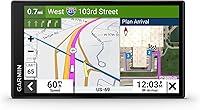
The OTR620 suits drivers who regularly visit new receivers, especially when the street address doesn't clearly identify the truck entrance. BirdsEye Direct Satellite Imagery provides overhead views of loading docks, security gates and access roads.
With the dēzl app on a compatible smartphone, community information adds shared truck entrances, docks and parking locations. Treat those locations as useful leads, then confirm the current entry instructions with the facility.
Other OTR620 tools include nearby CAT Scale searches in the U.S. and Canada, a Truck & Trailer Services directory and wind overlays with route alerts. Wind features require the app, so include phone pairing in your setup plan.
Skip this model if you won't use its connected community tools and your existing destination-planning routine already works well. Its main appeal is helping with those recurring tasks, rather than simply adding another screen.
Our Garmin dēzl OTR620 review takes a closer look at this model's fit for daily trucking work.
When should you choose the OTR610?
Choose the OTR610 for reviewing the complete route and placing stops before departure. Its route planner helps organize fuel stops, comfort breaks and overnight stays instead of leaving each decision until you're near the next exit.
BirdsEye Satellite Imagery supports arrival planning, and the services directory lets you filter truck stops by brand or amenity. North America map updates are also included.
This model fits a driver who likes to leave with a clear stop plan and adjust it as conditions change. Skip it if the OTR620's community locations and wind tools are the specific reasons you're shopping for a Garmin.
The OTR610 also supports BC 50 backup cameras, a dēzl trucking headset and a dēzl Edition smartwatch. That compatibility matters most if those devices are already part of your planned cab setup.
Who should choose the Rand McNally RANDTAB7?
Choose the RANDTAB7 when detailed load and vehicle settings are your deciding factor. It supports weight, height, width, HazMat types, trailer types and axle counts from 2 to 15.
That gives you specific inputs to review when switching truck combinations or loads. Don't assume a saved profile still fits after changing equipment, and don't use the presence of a HazMat setting as proof that every suggested road permits your cargo.
Rand Navigation 2.0 includes 2025-edition maps, traffic, weather, fuel information and speed camera alerts. Its road warnings cover items such as engine brake restrictions, narrow roads and construction zones.
The display includes 3D buildings and landmarks for visual orientation. Those views serve a different purpose from overhead imagery used to study a yard's entrance layout.
A powered magnetic mount, truck charger and USB-C cable are included. This mounting setup is worth considering if attaching and removing the device is part of your daily routine.
Skip the RANDTAB7 if your main reason for buying is a guaranteed screen size without further checking. It is identified as a 7-inch navigator but also described with an 8-inch touchscreen, so confirm the exact display before ordering.
Which routing details should you check before buying?
Match the routing inputs to the truck you drive today, including its current load and trailer. A truck profile is only useful when the values reflect the vehicle on the road.
Both Garmin models offer custom routing based on truck size and weight, with road alerts. Coverage isn't available in all areas, and Garmin cautions that OTR610 route suggestions may not account for every vehicle characteristic.
Rand's more detailed settings make it a candidate for drivers who need to review several load and configuration inputs. That feature difference supports choosing it for those jobs, but it doesn't mean its routes are more accurate.
Before departure, inspect the proposed route for restricted roads, awkward turns and the final approach. Check any concern against current signs, facility directions and the requirements that apply to your load.
Never continue toward a restriction because a GPS route appears to allow it. If you need to change course, find a safe place to stop and reassess rather than making a rushed turn.
Our truck GPS vs car GPS guide explains why vehicle-specific routing matters when choosing between navigation categories.
How should you plan a warehouse or loading-dock arrival?
Confirm the truck entrance before starting the final approach, rather than relying only on the destination's street address. An office entrance and a receiving gate can require different approaches.
Review the destination while parked and compare the route endpoint with your dispatch instructions. If the entrance remains unclear, contact the facility before reaching streets where turning around could be difficult.
Look for the direction of approach, gate location and space needed to line up with the entrance. Overhead imagery can help you understand the layout, but it cannot confirm that a gate is open or that yard procedures haven't changed.
Keep the facility name, appointment details and contact number accessible without searching through several messages. Those details often settle a delivery question faster than changing navigation settings.
At the site, follow signs and staff directions. A shared location or image is planning help, while the current receiving instructions determine where you should enter and wait.
What should you check about connected features?
Set up the services you expect to use before a working trip. A feature shown in a menu isn't necessarily ready until the required phone connection or account is active.
The OTR620 uses the dēzl app for community parking and wind alerts. The OTR610 uses compatible smartphone pairing for live traffic, weather and smart notifications.
Both Garmin models support PrePass weigh station and bypass notifications with the app and an active PrePass account. The navigator doesn't remove that account requirement.
For the RANDTAB7, check how to activate and connect the traffic, weather and fuel services you plan to use. Wi-Fi and Bluetooth support alone doesn't explain every service's setup or account requirements.
Keep a practical fallback for information you need during the day, such as saved facility directions and planned stop addresses. A lost phone connection shouldn't leave you without the details needed to finish the trip safely.
Live information also needs interpretation. Parking information isn't a reserved space, and a weather overlay doesn't replace your judgment about current driving conditions.
How do you set up a truck GPS before the first trip?
Enter the vehicle profile, secure the mount and review a familiar route while parked. Complete these steps before depending on the device during an unfamiliar delivery.
- Confirm the truck details. Use verified dimensions and loaded weight information rather than guessing from memory, and review the profile after equipment or load changes.
- Choose a clear mounting position. Keep the device within easy view without blocking the road, mirrors, controls or required sightlines, and follow local mounting rules.
- Secure the power lead. Leave enough slack for normal adjustment while keeping the cable away from pedals, steering controls and places where it could snag.
- Set readable guidance. Adjust brightness and audio while parked, then check that the map is readable from your normal seated position.
- Review a known trip. Compare the route with roads and truck entrances you already know, and resolve profile errors before your first unfamiliar run.
Both Garmin screens are 6 inches, so placement matters if the dashboard sits far from your seat. Avoid choosing a mount location that forces you to lean forward to read turn instructions.
Check maps and software before a long trip, leaving enough time to finish any update. Our Garmin dēzl map update guide explains where Garmin owners should start.
How can you avoid common truck GPS mistakes?
Review the route and plan a backup stop before leaving, then keep route changes for safe stopping points. Most useful navigation habits reduce rushed decisions rather than add more alerts.
Don't choose a fuel or overnight stop solely because it is closest to the route line. Consider the approach, truck access, services you need and where you'll go if parking is full.
Don't accept every reroute without considering the road it introduces. A small time saving may be a poor trade if the alternative creates an unfamiliar local-road approach near your destination.
Don't leave the wrong trailer or load profile active after a change. Build a short profile check into the same routine you use to review dispatch and trip details.
Keep the screen readable with a soft, clean cloth and follow the device's care instructions. Inspect the mount and cable regularly, especially if you move the navigator between vehicles.
If the position marker is wrong, stop safely before troubleshooting instead of changing settings while moving. Our guide to why a car GPS shows the wrong location covers general positioning problems that can help you narrow down the cause.
Should you keep your current GPS instead?
Keep your current navigator if it handles your routes and no specific missing feature slows your work. Replacing a device makes more sense when you can name the task the new one will improve.
For example, repeated trouble finding receiving gates supports choosing stronger arrival-planning tools. Frequent truck configuration changes support looking closely at load settings, while poorly planned breaks point toward better stop planning.
A new device won't resolve inaccurate dispatch instructions or a vehicle profile entered incorrectly. Fix those problems first so you can judge what equipment you actually need.
For RV travel, use our guide to choosing an RV GPS to compare models around that vehicle category. Commercial truck tools shouldn't be the deciding factor for a trip that doesn't use them.
Final choice: Garmin dēzl vs Rand McNally
Pick the OTR620 for unfamiliar deliveries, the OTR610 for planned trip stops, or the RANDTAB7 for detailed load profiles. That's the clearest decision rule for Garmin dēzl vs Rand McNally among these models.
Before committing, write down the 2 tasks you need the navigator to improve. Check the required phone setup, mounting position and vehicle inputs against those tasks so your choice fits an ordinary workday.
If none clearly fits, compare the best truck GPS navigators before choosing. Buy around the routes and truck configuration you use, then make profile checks and route review part of every departure.
Frequently asked questions
Is Garmin dēzl better than Rand McNally for truck GPS?
Choose Garmin dēzl OTR620 for shared truck locations and aerial arrival planning, or Rand McNally RANDTAB7 for detailed load settings; the OTR610 suits drivers who focus on planning stops across a trip. Match the model to your work rather than assuming either brand wins every truck navigation task.
Which has the bigger screen, Garmin dēzl or Rand McNally?
Both Garmin models have 6-inch touchscreens, but the RANDTAB7's screen size needs confirmation; Rand McNally identifies it as a 7-inch navigator and also describes an 8-inch touchscreen. Confirm the exact unit's display size before ordering, especially if readability from your driving position is the reason you're changing devices.
Can Garmin dēzl route around truck restrictions?
The OTR620 and OTR610 offer routing based on truck size and weight, with coverage limits; Garmin also cautions that OTR610 suggestions may not account for every vehicle characteristic. Enter accurate vehicle details, review the route before leaving and follow posted restrictions whenever they differ from the suggested route.
Does the Rand McNally RANDTAB7 support custom truck routing?
Yes, the RANDTAB7 includes settings for weight, height, width, HazMat types, trailers and axle counts; these make it worth considering when your load or truck configuration changes between jobs. Update the profile to match the current combination and check route restrictions before departure, especially when carrying a regulated load.
Do Garmin dēzl features need a smartphone?
Some Garmin features require a compatible smartphone and the dēzl app; on the OTR620, these include community parking, wind alerts and PrePass notifications; PrePass also needs an active account. The OTR610 uses pairing for live traffic, weather and smart notifications, so complete the connection setup before your first working trip.