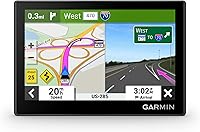
GPS Navigators for Cars, Trucks and RVs
Choose a GPS navigator for a car based on your screen needs and daily routes. Choose a truck or RV model when vehicle size, weight and specialized stops shape your trips, then check map coverage and phone requirements.
On this page (12 sections)
- What type of GPS navigator fits your vehicle?
- What should you check before buying a GPS navigator for a car?
- When is a truck GPS worth choosing?
- Should an RV use a dedicated GPS?
- Which screen size and controls are practical?
- What map and phone features matter?
- How should you set up a GPS navigator before the first trip?
- How should you use a navigator during a trip?
- How do you care for a car, truck or RV navigator?
- Which buying and route-planning mistakes should you avoid?
- How do you choose between these four GPS navigators?
- Which GPS navigator for a car, truck or RV should you choose?
A GPS navigator for a car should give you clear directions on a screen that fits your driving position. Choose a truck or RV model instead when vehicle dimensions, weight restrictions and specialized stops shape your route.
For ordinary car trips, start with the Garmin Drive 53 or DriveSmart 66. The dēzl OTR620 suits commercial truck work, while the RV 795 suits motorhome and trailer travel.
Start with the vehicle profile you need, then compare screen visibility, map coverage, phone requirements and trip tools. A longer feature list helps only when those features solve a problem you actually have.
For a direct comparison of vehicle-specific routing, read truck GPS vs car GPS. If you already know you need a car unit, see our best car GPS navigators guide.
What type of GPS navigator fits your vehicle?
Choose a car GPS for ordinary passenger-car trips, a truck GPS for commercial vehicle needs, or an RV GPS for motorhome and trailer travel. Match the route tools to the vehicle you drive, rather than buying by screen size alone.
| Navigator type | A good fit when you need | Check before choosing |
|---|---|---|
| Car GPS | Everyday directions, road-trip stops and driver alerts | Screen placement, map coverage and connected features |
| Truck GPS | Truck routing, work entrances, parking and service stops | Vehicle profile, route restrictions and destination access |
| RV GPS | RV or trailer routing, campground information and road warnings | Rig details, campground approach and route coverage |
A passenger car usually needs directions to a street address, parking area or attraction. Commercial drivers may need the correct freight entrance at that same address, while RV travelers may need a campground gate that accommodates their rig.
That difference matters more than a larger display or extra entertainment controls. A navigator should help you reach the entrance and services suited to your trip, not just the general location.
Consider the vehicle you use on the trips that create the most planning work. If you commute in a car but tow a trailer on vacation, assess your towing needs separately from your daily drive.
A specialized unit makes sense when its routing and destination tools address those harder trips. Buying one solely because it sounds more capable can add menus and features you rarely use.
None of these units replaces road signs or a driver's judgment. Confirm uncertain restrictions and access before entering a road where turning around would be difficult.
What should you check before buying a GPS navigator for a car?
For a car GPS, prioritize readable directions, useful controls and manageable setup. The Garmin Drive 53 suits drivers who want a smaller unit centered on route guidance, while the DriveSmart 66 suits drivers who want voice assist and connected trip information.
A compact GPS navigator for car trips: Garmin Drive 53
The Garmin Drive 53 has a 5-inch glass capacitive touchscreen, North America map updates and spoken turn-by-turn directions with Garmin Real Directions landmark guidance. Its driver alerts cover school zones, speed changes, sharp curves and other road conditions.
Choose it when you want to keep route guidance separate from your phone without making connected services the main reason for buying. Its food, fuel and rest-area information along an active route is useful for deciding where to stop before everyone needs a break.
The included national parks directory also suits trips where finding an entrance, visitor center or landmark matters more than adding communication features. For a family road trip, those tools help connect the driving plan with the stops you intend to make.
Skip it if voice input is a must-have. Its touch controls suit a driver who enters destinations while parked, but the DriveSmart 66 is the better match here for someone specifically seeking Garmin voice assist.
Also skip it if you cannot read the map comfortably from your intended mount location. A compact unit saves space only if it remains useful at your normal viewing distance.
A connected car GPS navigator: Garmin DriveSmart 66
The Garmin DriveSmart 66 has a 6-inch high-resolution display, North America map updates and Garmin voice assist. It supports hands-free calling when paired with a compatible smartphone and includes road-trip resources such as a national parks directory and the HISTORY database of notable sites.
Choose it when you want a dedicated route screen and are willing to keep your phone connected for extra travel information. Live traffic, fuel information, parking, weather and smart notifications require a compatible smartphone running the Garmin Drive app.
Its built-in Wi-Fi supports map and software updates without a computer. That suits someone who wants to handle routine updates at home without arranging a separate computer connection.
The included dual USB charger provides another charging port for a phone or other device. Check how that fits your existing charging setup before adding more adapters around the dashboard.
Skip it if you want minimal phone involvement and would rarely use its voice or connected tools. The Drive 53 is the more focused choice for that buyer, provided its smaller screen works in the car.
Compare more car-focused options in our best car GPS navigators guide, or read the Garmin DriveSmart 66 GPS review.
When is a truck GPS worth choosing?
A truck GPS is worth choosing when commercial routes and work stops create needs a car navigator does not address. The Garmin dēzl OTR620 fits drivers who plan around truck dimensions, freight entrances, parking, scales and breaks.
The dēzl OTR620 offers custom routing based on truck size and weight, with warnings for upcoming bridge heights and sharp curves. This routing is not available in all areas, so posted road signs and current conditions remain decisive.
Its BirdsEye Direct Satellite Imagery provides overhead destination views for arrival planning. That is useful when an address covers several buildings and the truck entrance sits away from the public entrance.
With the dēzl app on a compatible smartphone, community information helps you find truck parking and shared locations such as docks and security gates. Use those locations to plan an approach, then confirm any uncertain access with the facility.
The navigator can find nearby CAT Scale locations in the U.S. and Canada. Its Truck & Trailer Services directory and break-planning tools also suit drivers who need services by brand or amenity rather than a general roadside stop.
Connected wind alerts require the dēzl app. PrePass weigh station and bypass notifications additionally require an active PrePass account and a compatible smartphone with Bluetooth enabled.
Choose the OTR620 for working-truck needs, especially when the final approach takes as much planning as the highway route. Its value is the combination of vehicle routing and truck-specific destinations.
Skip it for ordinary car errands if you have no use for truck services or freight access. RV travelers should also compare camping tools before assuming a truck-focused unit is the right fit.
If you want to compare dedicated truck units, see our best truck GPS navigators guide and Garmin dēzl OTR620 review.
Should an RV use a dedicated GPS?
An RV GPS makes sense when rig dimensions and campground access shape your travel plans. The Garmin RV 795 suits motorhome and trailer travelers who want camping information alongside vehicle-based route planning.
It offers custom routing for RV or trailer size and weight, plus warnings for steep grades, sharp curves and weight limits. Its parks and services directory helps connect the road route with places suited to an RV trip.
BirdsEye Satellite Imagery provides aerial views for planning a campground arrival. Use it to understand the entrance layout before you reach a narrow approach or a junction where stopping would be awkward.
The RV 795 also offers scenic route suggestions and local place recommendations. These suit travelers who plan the journey around stops and activities, rather than simply reaching a destination by the most direct road.
Its Garmin Drive app connection adds live traffic, weather, fuel information and smart notifications. Garmin voice assist is included, and smartphone pairing supports hands-free calling.
Choose it for camping travel with a motorhome or trailer, particularly when you want route planning and RV destinations in the same device. Skip it if your trips stay in a passenger car and you do not need RV profiles or campground tools.
Entering a profile does not guarantee that every characteristic of your rig will be accounted for in every route suggestion. Custom routing also has area limits, so verify restrictions and check campground arrival instructions.
A campground's address may lead toward an office, a service road or an entrance intended for another purpose. Before departure, confirm which approach the campground recommends for your vehicle.
If you are deciding among RV screen sizes and features, see how to choose an RV GPS. The broader truck GPS vs car GPS guide can also help clarify when a vehicle-specific unit is useful.
Which screen size and controls are practical?
Choose a screen you can read from your normal driving position without leaning forward. A larger display helps only when the mount keeps it visible without blocking the road or important dashboard controls.
| Model | Screen | Main control consideration |
|---|---|---|
| Garmin DriveSmart 66 | 6 in | Touchscreen and Garmin voice assist |
| Garmin dēzl OTR620 | 6 in | Touchscreen with connected truck tools |
| Garmin Drive 53 | 5 in | Touch controls and spoken landmark guidance |
| Garmin RV 795 | 7 in | Touchscreen and Garmin voice assist |
Measure the available area before buying. Include space for the mount, power connector and cable bend, rather than comparing only the device's front face.
Sit in your usual position with the seat adjusted as you drive. Check whether the planned location would hide a pedestrian, part of an intersection or a dashboard warning.
Think about glare as well as size. A screen facing a bright window may be harder to read, so consider the angle and available shade before choosing a mount position.
Touch controls should be reachable while parked without stretching across the cabin. Do not make easy access to the screen a reason to place it in an airbag area or across another control.
Voice assist can reduce the need to type, but you still need to confirm that it selected the right destination. Enter difficult addresses and review alternatives before moving.
Spoken guidance is especially useful when you want fewer glances at the map. Set the volume while parked and check that you can hear it over your normal cabin noise.
For older drivers or anyone who values simple controls, our car GPS guide for seniors and older drivers covers that buying priority in more detail.
What map and phone features matter?
Check where the maps cover and which features need a phone before choosing. Map updates, live information and phone pairing serve different jobs, so do not treat them as interchangeable.
All four examples cover North America. For travel beyond your usual region, check the countries and destinations you need rather than assuming a regional label includes every island or territory.
Map updates change the road information stored on the navigator. Live services add changing information such as congestion or weather, while software updates affect the device itself.
Those differences explain why a unit can have current maps but still need a phone connection for live information. Decide which part matters to your trips before comparing app features.
Match connected services to your routine
Choose connected tools around decisions you actually make on the road. Traffic information matters more for changing commuter routes, while parking or weather information may matter more when you visit unfamiliar places.
DriveSmart 66 and RV 795 use the Garmin Drive app for their live travel services. The dēzl OTR620 uses the dēzl app for its connected trucking features, with separate account requirements for PrePass.
Before buying, check your phone's compatibility and your willingness to keep the required app available during a trip. A feature you regularly leave disconnected should not drive the buying decision.
Also consider where your phone will charge and whether you want notifications on the route screen. Fewer interruptions may suit you better than access to every connected function.
Decide whether a separate navigator solves a problem
A dedicated unit is most useful when it gives you a better place for directions or tools your current setup lacks. It may offer little benefit if your phone already sits securely, stays charged and handles your trips comfortably.
Think through one recent drive that was awkward. Was the problem a small screen, an unreadable mounting position, a wrong entrance or a route unsuitable for the vehicle?
Buy around that specific problem. A different display will not solve incorrect vehicle details, and truck routing will not improve a car trip simply because it includes more features.
How should you set up a GPS navigator before the first trip?
Set up the navigator while parked, with time to review the route. Complete the mount, power, map and destination checks before relying on it for an unfamiliar journey.
- Choose the mount position. Follow the mount instructions and applicable placement rules, keeping your road view, airbags and vehicle controls clear.
- Connect vehicle power. Route the cable away from pedals, steering parts, gear controls and places where a door could pinch it.
- Complete initial setup. Choose the language, guidance volume and other prompts before entering a destination.
- Check maps and software. Follow the model's update instructions and allow enough time for the process to finish.
- Pair the phone if needed. Install the correct app and confirm the connected features you intend to use.
- Enter vehicle details where supported. Use accurate information for the vehicle and trailer configuration you will drive.
- Review a familiar route. Check the destination, spoken directions and screen position before a demanding trip.
For a truck or RV profile, gather the vehicle information first. Use reliable measurements and weight information rather than guessing from the vehicle's model name or appearance.
Recheck the profile when the configuration changes, such as towing a different trailer. A profile saved for one trip should not be assumed suitable for every future journey.
Read destination results carefully, especially when several places share a name. Confirm the city, street and intended entrance before starting guidance.
Save useful locations while parked, including the return destination and planned overnight stop. That reduces the need to search for an address when you are tired or under time pressure.
For a long trip, review major roads and the final approach separately. The last few turns often need the most thought when a truck, trailer or large motorhome is involved.
How should you use a navigator during a trip?
Use the navigator to plan ahead and hear directions, while keeping signs and the road in view. Make changes while parked or ask a passenger to handle them.
Before departure, scan the full route for unexpected roads, crossings or destinations. An obvious mistake is easier to resolve at home than at a junction with traffic behind you.
Plan breaks before they become urgent. Check which side of the road a stop sits on and whether its entrance fits your vehicle, especially when towing or driving a truck.
If you miss a turn, continue safely rather than braking hard or making a sudden lane change. Let the route recalculate, then assess the next instruction against the road ahead.
Do not follow an instruction into a closed road or past a restriction because the screen still shows a route. Maps and live information can lag behind a change on the ground.
For unfamiliar facilities, slow the decision process before the final approach. Review arrival instructions at a safe stopping place rather than trying to decode several gates while moving.
If the position marker appears wrong, pull over before changing settings. Our guide to why a car GPS shows the wrong location explains what to check next.
How do you care for a car, truck or RV navigator?
Keep the screen, mount and power connection clean and secure. Small maintenance tasks help prevent a loose device or unreadable display from disrupting a trip.
Clean the screen with a soft cloth and follow the device's cleaning instructions. Avoid abrasive materials, and do not spray liquid directly into openings or connectors.
Check the mounting surface and attachment before departure. If the mount loosens, stop safely and correct it rather than holding the device or adjusting it while driving.
Inspect the power cable where it bends near the unit and adapter. Replace damaged accessories with suitable replacements, and avoid trapping the cable under heavy objects.
Follow the manufacturer's storage and temperature guidance. When parking for an extended period, remove the navigator from plain view and store it securely.
Schedule updates before a trip, rather than leaving them until departure morning. Keep stable power available during the process and follow any instructions about disconnecting the device.
After an update, confirm your saved destination and vehicle profile before starting. A brief parked check is easier than discovering a setting needs attention after joining a busy road.
Which buying and route-planning mistakes should you avoid?
Avoid choosing by screen size or feature count alone. The most useful navigator matches your vehicle, your mounting space and the information you will actually use.
Buying a specialized model for ordinary car trips
Truck and RV features solve specific planning needs. They do not automatically make a device a better choice for a passenger car.
Start with the car models unless your vehicle or trips call for specialized routing. Spend your attention on readable guidance, suitable controls and practical setup.
Expecting a larger screen to fix poor placement
A bigger display can still be awkward if it sits too far away or catches glare. Check the planned position from the driver's seat before deciding that size is the answer.
The mount and cable also need room. A device that fits a measured rectangle may still interfere with a vent, storage area or control once installed.
Counting every feature as available without setup
Phone-dependent services need the correct app and connection. Account-based tools also need the relevant active account.
Decide which features are essential, then confirm their requirements before buying. Optional extras should not obscure a missing requirement that matters every day.
Treating destination addresses as entrance directions
A correct street address can still lead toward the wrong side of a large property. Review the intended gate, campground entrance or loading area before the final approach.
Use facility instructions to resolve uncertainty. Overhead imagery helps explain the layout, but it cannot confirm that a gate is open or available to your vehicle.
Treating custom routing as permission to proceed
Truck and RV routing has limits, even with accurate profile information. Follow posted clearances, weight limits, closures and current road conditions.
If an instruction looks unsuitable, find a safe place to stop and reassess. Avoid entering a questionable road just to see whether it becomes passable.
How do you choose between these four GPS navigators?
Choose by vehicle first, then by the job you want the navigator to do. The two car units address different control and screen preferences, while the truck and RV models serve different travel needs.
| Model | Choose it when | Skip it when |
|---|---|---|
| Garmin DriveSmart 66 | You want car guidance with voice assist and connected travel tools | You want little phone involvement and would rarely use the extras |
| Garmin dēzl OTR620 | You need truck routes, work entrances and truck services | Your driving is ordinary passenger-car travel |
| Garmin Drive 53 | You want compact car guidance with touch controls and spoken directions | Voice input or a larger viewing area is essential |
| Garmin RV 795 | You plan motorhome or trailer trips around campgrounds and RV services | You do not need RV profiles or camping destinations |
For a car, ask whether you would actually use voice assist and connected information. If yes, the DriveSmart 66 is the stronger fit; if your priority is a compact route display, start with the Drive 53.
For a commercial truck, think about the workday beyond the highway route. Dock approaches, parking, service stops and scale searches make the OTR620 the relevant choice here.
For an RV or trailer, think about the whole camping trip. The RV 795 combines vehicle routing with destination and campground tools that fit that pattern.
Before ordering, check the intended mount position, map coverage and phone requirements together. That final check catches practical mismatches that a feature comparison alone can miss.
Which GPS navigator for a car, truck or RV should you choose?
Choose a GPS navigator for a car around the controls you prefer: Drive 53 for compact touch-based guidance, or DriveSmart 66 for voice assist and connected trip tools. Choose the dēzl OTR620 for commercial truck work and the RV 795 for motorhome or trailer travel.
Make the final decision with your vehicle details and mount location in front of you. If either is uncertain, settle that before buying, because both affect how useful the navigator will be.
If you are shopping for a car unit, start with our best car GPS navigators. For larger vehicles, compare truck GPS options or read how to choose an RV GPS before deciding.
Frequently asked questions
Do you need a dedicated GPS navigator if your car has phone navigation?
A dedicated GPS is useful when you want a separate route screen or features matched to your vehicle, but you may not need one if your existing phone setup already handles your trips comfortably. Choose based on a specific need, such as screen placement, spoken guidance or truck and RV route planning.
Can a truck GPS guarantee a truck-safe route?
No, truck routing cannot guarantee a suitable route: the Garmin dēzl OTR620 considers truck size and weight, but coverage varies by area. Follow posted restrictions and current road conditions, and confirm uncertain access with the destination before approaching a loading dock, gate or narrow entrance.
What is the difference between a truck GPS and an RV GPS?
A truck GPS focuses on commercial routes and work stops, while an RV GPS focuses on motorhome or trailer travel and camping destinations. Choose around your actual stops: loading docks, scales and truck services call for different tools than campground arrivals, RV services and scenic trip planning.
Does a GPS navigator need a smartphone?
A smartphone is required for certain connected features, rather than every navigation function: DriveSmart 66 and RV 795 use the Garmin Drive app for live information. The dēzl OTR620 uses the dēzl app for features including community parking insights and wind alerts, so check compatibility before choosing.
How large a GPS screen should you choose?
Choose a screen you can read from your normal driving position without blocking the road or dashboard controls, and consider viewing distance, glare and the space taken by the mount. A larger display is useful only when you can place it safely and see its route details at a glance.